
Karaoke Booth
At HiParty, a karaoke booth is a self-contained studio built for 2 to 4 guests — a 32-inch 4K touchscreen, 5.2-channel surround sound, two wireless microphones and full-colour lighting that moves with the music. Book ahead or join the queue, scan in at the door, and the room is yours.

Who can use a booth
Every HiParty booth is the same size and follows the same entry rules. Please read these before you book — our team applies them at the door.
 2–4
2–4
2 to 4 guests per booth
Each booth is designed for two to four people. Bigger groups can take side-by-side booths or add booth time to a party package, and our team will sequence the turns for you.
 15+
15+
Minimum age 15+
Guests aged 15 and over can use a booth on their own. The booth is a closed, sound-treated room with its own audio and lighting controls, so we hold a minimum age for unaccompanied play.
 Guardian
Children must be accompanied
Children under 15 cannot use a booth on their own. A parent or guardian must stay in the booth for the whole session and counts towards the two-to-four guest limit.
Karaoke Booth Gallery
A look around. Pick a category to see more.
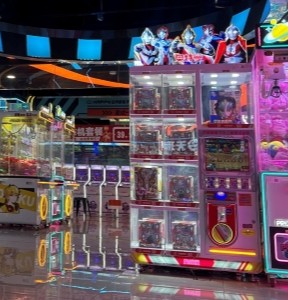
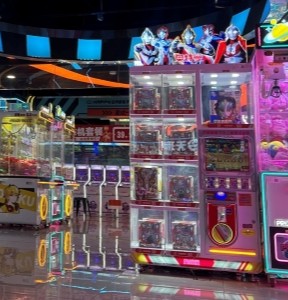


Sing, watch, play, cast
The booth is not karaoke only. The same screen, sound system and lighting run four different modes, so a session can change direction whenever the room does.
 Sing
Sing
Karaoke
A live song catalogue you search by title, artist or language, with real-time scoring and cloud vocal tuning that smooths out your take.
 Watch
Watch
Cinema mode
Switch the booth over to the big screen and let the 5.2-channel system do the work — the same room, a completely different session.
 Play
Play
Mini games
Interactive games on the touchscreen for the gaps between sets, when the room needs a breather from the microphone.
 Cast
Cast
Screen casting
Cast from your phone and put your own playlist, clips or photos on the booth screen and through the booth speakers.
Cinema sound
in a private room
The booth is a single engineered unit rather than a converted room. Acoustics, screen, microphones, lighting and climate control are all built in — which is why two people get the same sound as four.
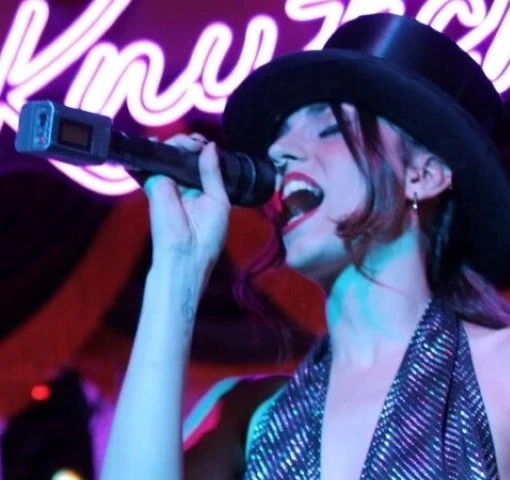

5.2-channel surround
Two 6-inch mains, two 3-inch surrounds, a dual 3-inch centre and two 6.5-inch subwoofers, driven at 25 W × 6 plus 50 W × 2, in a booth whose acoustic design follows THX guidelines.

32-inch 4K touchscreen
Queue and reorder songs on the touchscreen, the remote or your phone — all three work at once, so nobody has to hand the tablet around.

Two wireless microphones
A pair of UHF wireless microphones that pair to the booth when you scan in, cleaned and checked between every session.

Full-colour lighting
Stepless full-gamut LED lighting you set by hand, or leave on the modes that follow the beat and the picture on screen.

Private and climate-controlled
A closed, air-conditioned, sound-treated booth on the main floor. No stage, no shared microphone, no strangers in the room.

Book ahead or join the queue
Reserve a booth or take a place in the queue, pre-select your songs while you wait, then scan the code at the door when your booth is ready.
Scan in.
Start singing.
From the queue to the last song in four steps.

Book or join the queue
Reserve a booth in advance or take a place in the in-venue queue. Either way you can start building your song list before the booth is free.

Scan in at the door
Scan the code on the booth to unlock it and pair both wireless microphones. Your session timer starts when the door closes.

Sing, watch, play or cast
Switch between karaoke, cinema mode, mini games and screen casting as often as you like — it is all included in the booth time.

Get scored, then top up
Live scoring rates pitch, rhythm, tone, technique and expression, and cloud tuning tidies up the playback. Add more time at the counter if the room is not done.
The numbers
Every booth on the floor is the same specification, so what you see here is what you get whichever one you are given.
Booth specification supplied by the manufacturer. Session lengths and rates are shown at the counter and the kiosk.
- Capacity
- 2–4 guests
- Minimum age
- 15+ unaccompanied · under 15 with a parent or guardian
- Main display
- 32-inch 4K touchscreen (optional 21.5-inch second screen)
- Audio system
- 5.2-channel surround — 2 × 6" mains, 2 × 3" surrounds, dual 3" centre, 2 × 6.5" subwoofers
- Amplifier power
- 25 W × 6 + 50 W × 2
- Microphones
- 2 × UHF wireless
- Lighting
- Full-gamut LED, stepless dimming, music- and picture-synced modes
- Climate
- Air-conditioned as standard
- Booth size
- 1560 × 1690 × 2575 mm · 2.63 m² footprint
Grab a booth for your group
Booths run all day on the main floor. If you are planning a birthday, a work night, a school group or a private event, we can build booth time into a hosted package so nobody spends the night watching a clock.
Beyond the booth,
try our other arenas
Book Party / Event
Arcade Games
Classic Cabinets
Claw, Racing, Rhythm
Tickets & Prizes
Quest Arena

Mixed-Reality Arena
AI Motion Play
Multiplayer
Party Booking

Birthday Packages
Corporate Events
Full Venue Hire